
After reading this, you’ll understand what features truly matter for a workout, which device offers the best value, and how to choose the perfect headset to be the foundation of your fitness journey.
What Makes a Headset Good for Fitness?
A VR fitness headset isn’t a separate category of device, but rather a standard VR headset whose features are particularly well-suited for physical activity. This means it must be a **standalone** device—no cables to trip over—and prioritize comfort, balance, and spatial awareness.
The market for these **VR workout devices** is booming. As the technology becomes more powerful and affordable, a trend highlighted by Statista, manufacturers are increasingly designing them with mixed-use cases like fitness in mind, leading to lighter, more ergonomic designs.
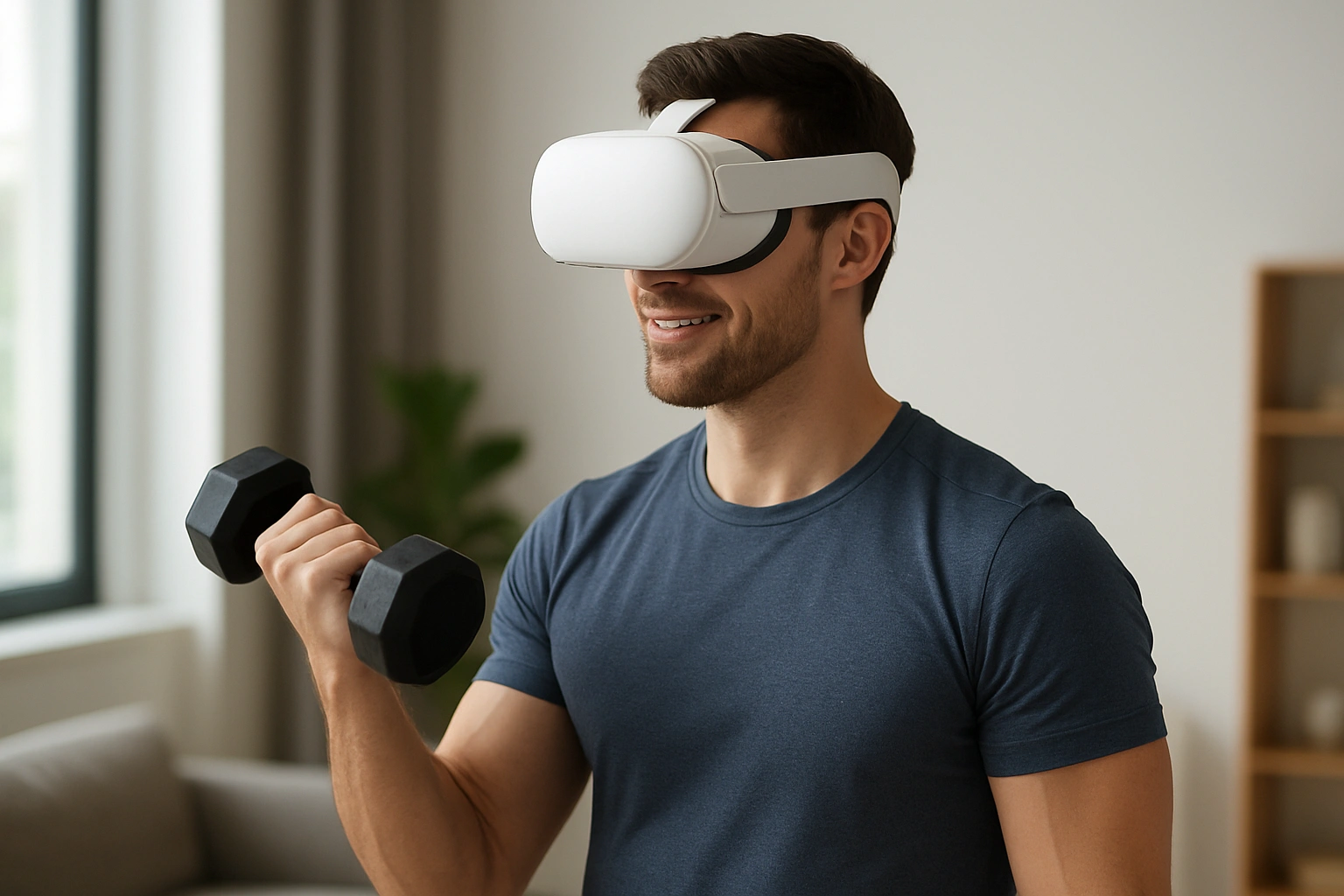
Why Choosing the Right Headset is Crucial
The right headset can be the difference between a workout you love and a device that gathers dust.
Comfort and Safety During Intense Workouts
A heavy, front-loaded headset will cause neck strain and constantly shift on your face during fast movements. A well-balanced, lightweight design stays put, while a high-quality passthrough camera lets you see your surroundings, preventing you from punching a wall or tripping over a pet.
An Immersive and Nausea-Free Experience
High-resolution screens and modern “pancake” lenses provide a clear, wide field of view. This not only makes the virtual worlds more believable but also drastically reduces the eye strain and motion sickness that early VR headsets were known for.
Access to the Best Fitness Ecosystems
The best hardware is useless without great software. The leading headsets have mature app stores with hundreds of high-quality fitness games and experiences. Choosing a popular platform ensures you’ll have a steady stream of new workouts to try. For more on leveraging tech ecosystems, see how a virtual assistant can boost productivity.
Core Features to Look For in a VR Fitness Headset
When shopping for a headset for exercise, these are the specs that matter most:
- Standalone Design: This is non-negotiable. You need a headset with a built-in processor and battery, so you can move freely without being tethered to a PC.
- Weight and Balance: Lighter is better. Look for a device under 550 grams with good weight distribution to minimize neck strain.
- Passthrough Quality: A high-resolution, low-latency color passthrough is a critical safety feature for seeing your real-world environment.
- Pancake Lenses: This newer lens technology allows for a slimmer, lighter headset profile and provides better edge-to-edge clarity than the older Fresnel lenses.
- Controller Tracking: Reliable inside-out tracking is essential for the controllers to accurately register your hand movements during fast-paced games.
In-Depth Reviews: The Best VR Fitness Headsets of 2025
1. Meta Quest 3
The Meta Quest 3 is the undisputed champion of VR fitness for the mass market. It offers a perfect balance of performance, comfort, and price, with access to the largest library of fitness apps available.
| Pros | Cons |
|---|---|
| Excellent performance with the Snapdragon XR2 Gen 2 chip. | Stock head strap is mediocre; an upgrade is recommended. |
| High-quality color passthrough for mixed reality. | Battery life is around 2 hours. |
| Slim profile and clear visuals from pancake lenses. | |
| Massive library of fitness and wellness apps. |
Best for: Almost everyone. It’s the best all-around VR fitness headset for performance, features, and content.
2. Pico 4
The Pico 4 is the Quest 3’s biggest competitor, and it excels in one key area for fitness: comfort. Its battery is located on the back of the strap, providing excellent balance that makes it feel lighter than it is.
| Pros | Cons |
|---|---|
| Superb balance and comfort out of the box. | Software library is smaller than Meta’s. |
| Slim and lightweight design with pancake lenses. | Not officially sold in North America. |
| Often priced more affordably than the Quest 3. |
Best for: Users outside North America who prioritize out-of-the-box comfort and value.
3. Apple Vision Pro
The Vision Pro is in a league of its own for technology and price. While not designed as a fitness device, its industry-leading passthrough and display quality offer a glimpse into the future. Currently, its fitness software is limited, but its potential is enormous.
| Pros | Cons |
|---|---|
| Revolutionary display and passthrough quality. | Prohibitively expensive for most users. |
| Seamless integration with the Apple ecosystem. | Tethered battery pack is not ideal for intense movement. |
| Excellent for low-impact exercises like yoga or meditation. | Very limited fitness app library at launch. |
Best for: Tech enthusiasts and Apple fans who want the absolute best display for low-impact wellness.
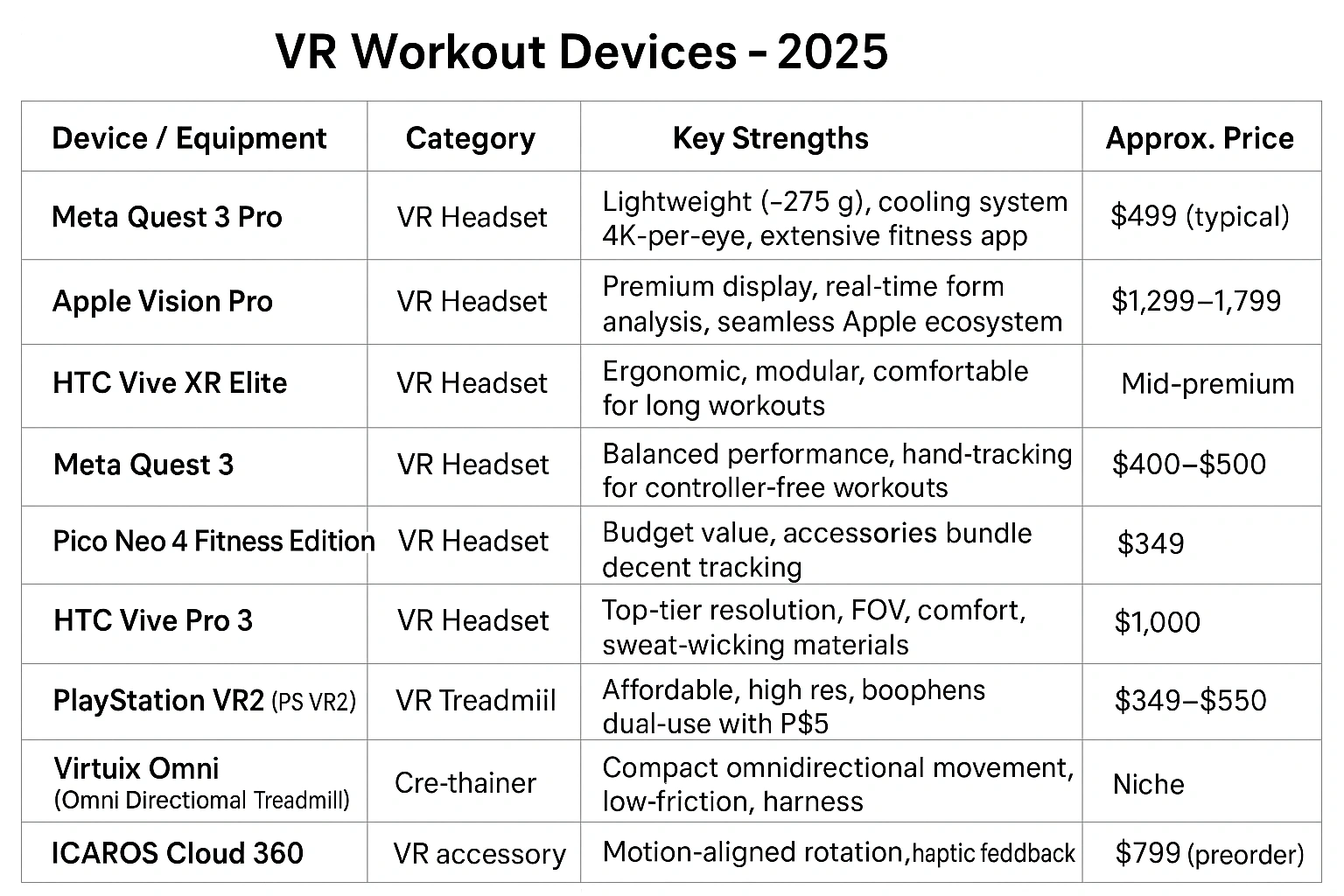
Comparison of the Best VR Fitness Headsets 2025
| Headset | Key Features | Comfort | Price | Best For |
|---|---|---|---|---|
| Meta Quest 3 | Pancake Lenses, Color Passthrough, XR2 Gen 2 | Good (Excellent with elite strap) | $$ | The Overall Best |
| Pico 4 | Pancake Lenses, Balanced Design | Excellent | $$ | Comfort & Value |
| Apple Vision Pro | Micro-OLED Display, Eye Tracking | Good | $$$$$ | Premium Low-Impact Wellness |
Common Mistakes to Avoid When Buying a Headset
Avoid these common pitfalls to ensure you get the right device for your needs.
- Ignoring Comfort: Don’t just look at the tech specs. A headset that’s uncomfortable will never get used. If possible, try one on before you buy.
- Forgetting the App Library: A powerful headset with no games is useless. The Meta Quest platform has a multi-year head start on fitness content that’s hard to ignore.
- Not Budgeting for Accessories: Plan on spending a little extra for essential comfort and hygiene accessories, like a better head strap and a silicone facial interface.
- Buying a PC VR Headset: While powerful for gaming, tethered PC VR headsets are a poor choice for fitness due to the restrictive cable.
- Neglecting Safety Features: A good passthrough camera is not a gimmick; it’s a crucial feature for being aware of your surroundings during a workout.
Expert Tips for Your VR Fitness Setup
To get the most out of your new hardware, follow these expert tips.
- Upgrade Your Head Strap Immediately:
“The stock strap on most headsets is designed to meet a price point, not for performance. A third-party ‘elite’ style strap provides better support and balance, transforming the comfort of the device,”
says a tech reviewer from Wired.
- Get a Silicone Face Cover: The standard foam interface is a sweat sponge. A silicone cover is essential for hygiene, as it can be easily wiped clean after every workout.
- Use Controller Grips with Knuckle Straps: These accessories let you open your hands without dropping the controllers, which is more comfortable and secure during intense games.
- Clean Your Lenses with a Microfiber Cloth Only: Never use paper towels or chemical cleaners on your lenses, as they can cause permanent scratches.
FAQ – Frequently Asked Questions
Q: Do I need a PC for a VR fitness headset?
A: No. For fitness, a standalone headset like the Meta Quest 3 is the best choice. It has all the processing power built-in and doesn’t require any cables, giving you complete freedom of movement, which is essential for exercise.
Q: How important is the weight of a headset for workouts?
A: Weight and balance are critically important. A lighter, well-balanced headset reduces neck strain and is less likely to shift on your face during fast movements in games like boxing or dancing. It’s a key factor for comfort and long-term use.
Q: What is ‘passthrough’ and why does it matter for fitness?
A: Passthrough uses the headset’s external cameras to show you your real-world surroundings. A high-quality color passthrough is a crucial safety feature for fitness, allowing you to see your floor space, grab your water bottle, or be aware of a pet entering your play area without taking the headset off.
Q: Can I wear glasses inside a VR headset?
A: Yes, most modern headsets like the Meta Quest 3 include a glasses spacer to provide extra room. However, for the most comfortable experience, many users opt for custom prescription lens inserts that can be fitted inside the headset.
Q: How do I deal with sweat when using a VR headset?
A: Sweat management is key. It’s highly recommended to replace the standard foam facial interface with a silicone cover, which is easy to wipe clean. Using a sweatband can also prevent sweat from dripping into your eyes and onto the lenses.
Conclusion